Problem Space — Envisioning the Future State
In line with the OMNI-Channel Web Platform product vision, I set out to build awareness of each customer's footprint — visible in the system and to every Rep across all channels — so they could identify potential leads, confirm a previous promise, pick up an earlier conversation, or continue a sales pitch.
Previously, only the Call Center channel had a note creation tool of its own, and it was a Windows application with a complex UI. Reps tended to leave notes nearly blank, and no other channel had access to the tool at all. I framed the whole initiative as modernizing interaction capture for the omni-channel approach.
The omni-channel service model was compromised at the data layer.
Only minimal notes were captured due to the complex, click-heavy UI.
Agents couldn't verify a previous agent's promise or advice.
Finding a past interaction was time-consuming and unreliable.
Channel-specific UI customization to address different rep workflows.
Reduce manual note entry — promote automated note capture where possible.
Simplified, low-friction procedure that requires minimal training.
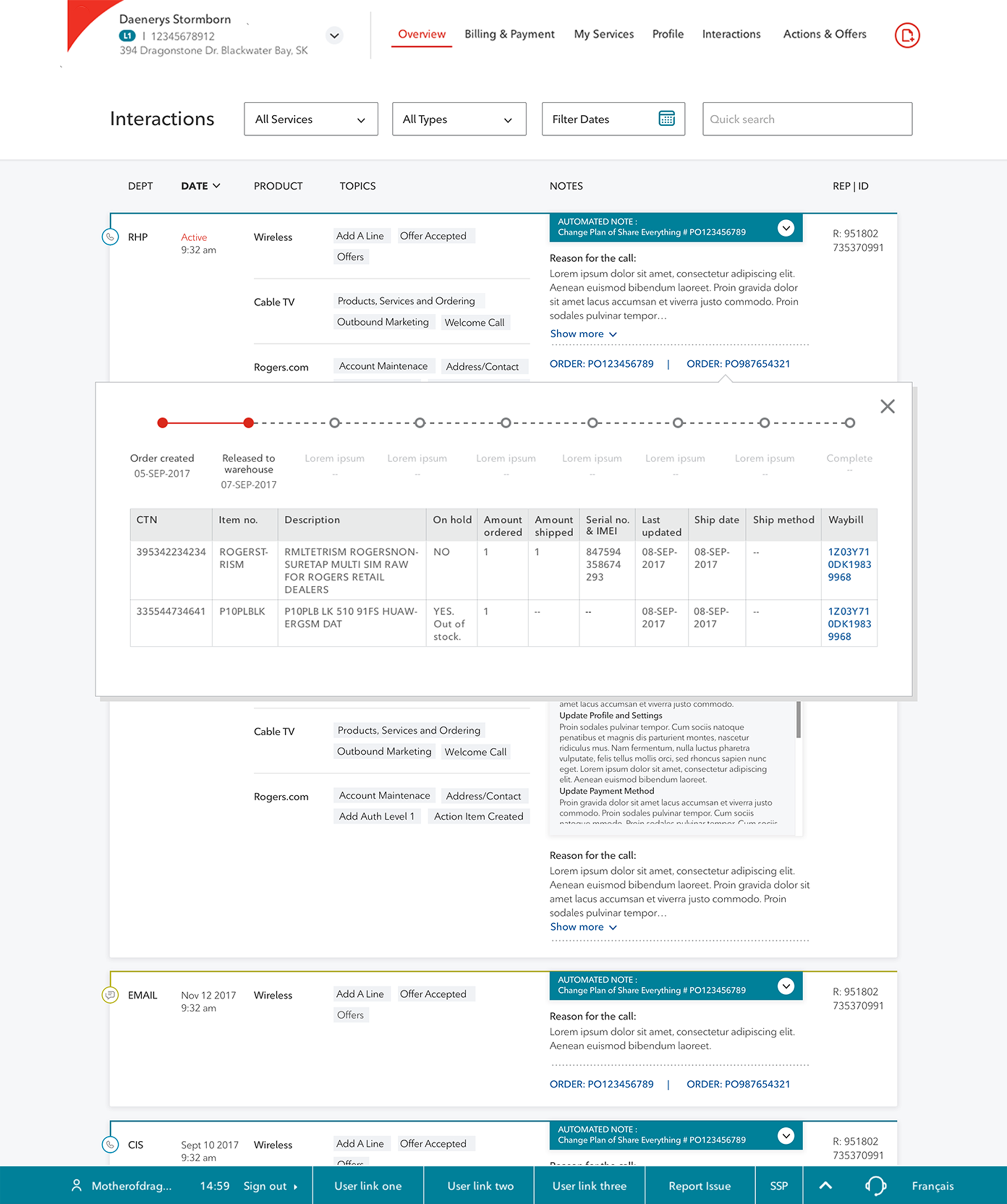
Interaction data as the central record linking to associated orders, cases, and tickets.
Project Outcome
I was the primary and lead experience designer driving the complete user-centered design process — from research and focus groups, through ideation, wireframing, and usability testing, to final mocks.
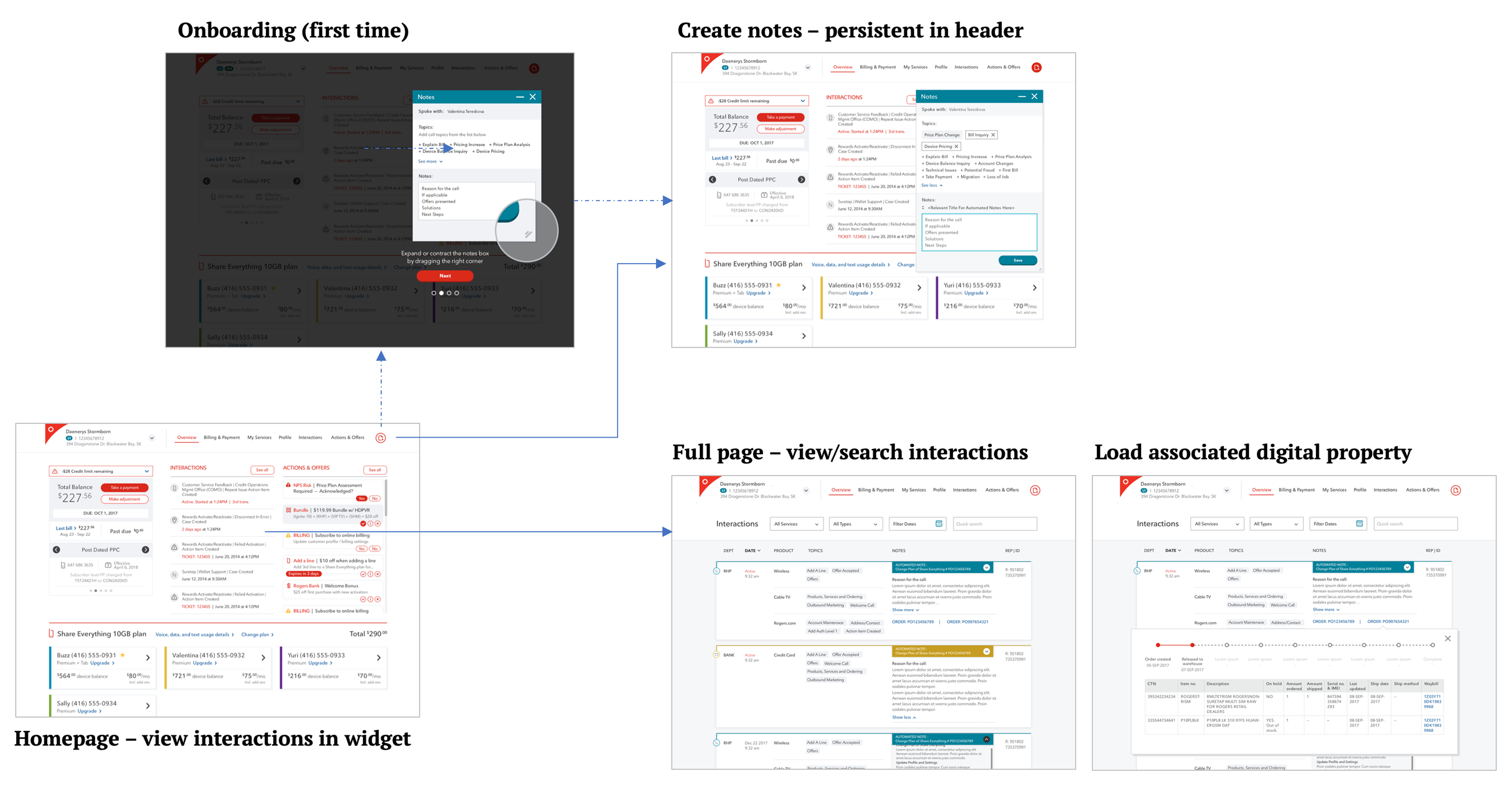
The overall experience model spans multiple modules within the platform, bringing together notes tracking, note creation, case/ticket/order tracking, and notes automation into a coherent system:
Research
Feedback Sessions with Frontline Reps
To fully assess the legacy Windows-based interaction tool and understand call center reps' pain points, I partnered with the Product Owner to run an agent feedback session. We captured a wide range of issues and turned them into early experience objectives for the project.
We then looked into the real interaction notes that call center Reps created on a daily basis to get more context, and we found many pitfalls — notes with most fields left blank, incorrect interaction topics selected, transfer records missing.
Example: the previous tool required many clicks for a simple topic selection, so many Reps just left it blank, and we lost a helpful input that could have been used for filtering.

Online Study
We also explored modern capabilities — automation, AI-assisted compose, rich text, and infographic-style summaries — to map out what was technically feasible for reducing the manual effort required to create meaningful interaction notes.
Ideation
Given the breadth of this initiative, both my assisting designer and I spent significant time generating ideas through conversations with business stakeholders, frontline reps, and product owners. We then ran group sessions to prioritize the most impactful ideas by effort and value.

Information Architecture
The IA was designed around four core principles:
A full-function page covering all searching, filtering, and sorting needs.
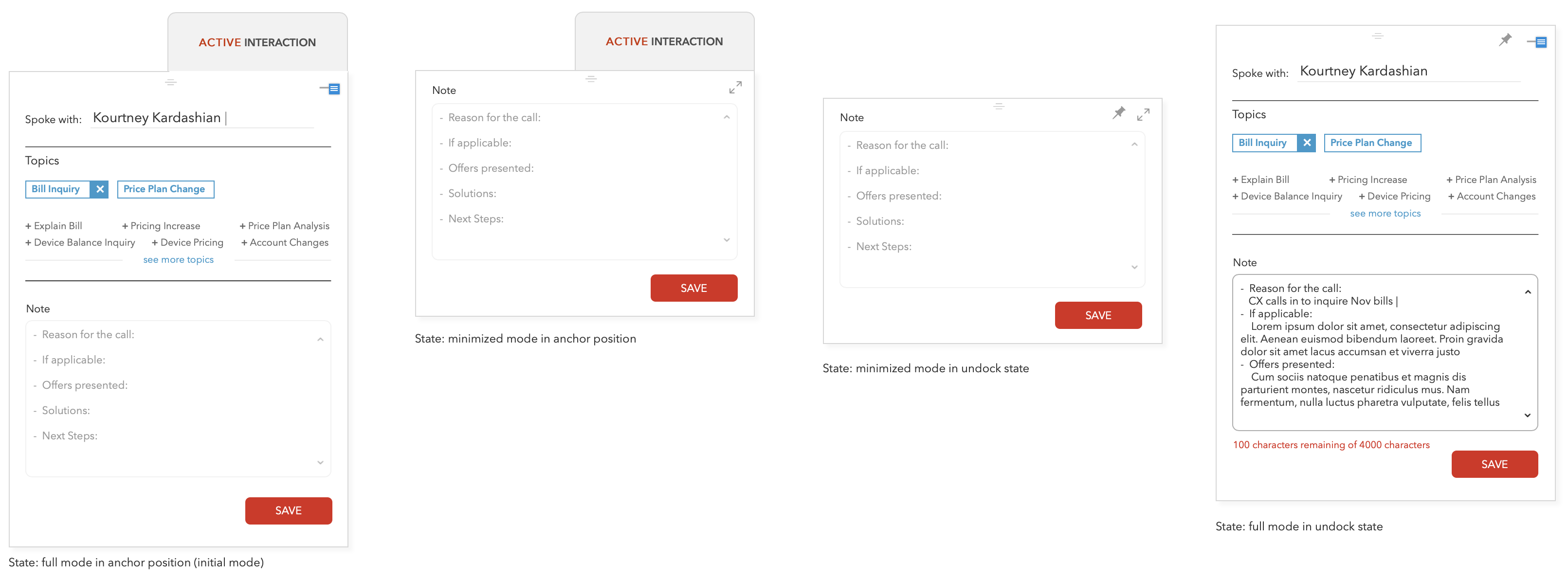
A shallow-access note creation surface — callable from any screen, parkable mid-session.
Interaction records as the central data node linking to associated cases, orders, and tickets.

Wireframe
Interaction Creation
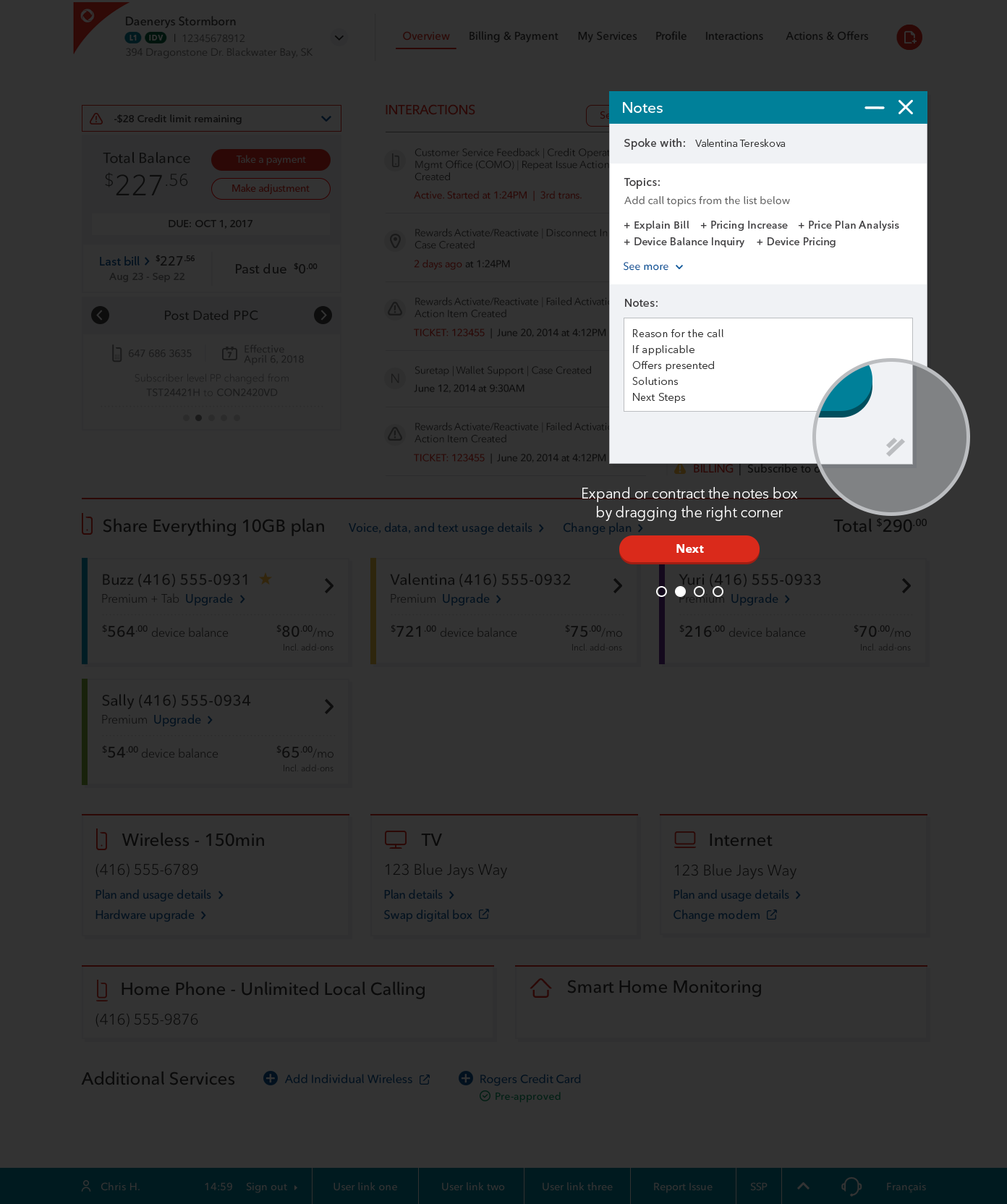
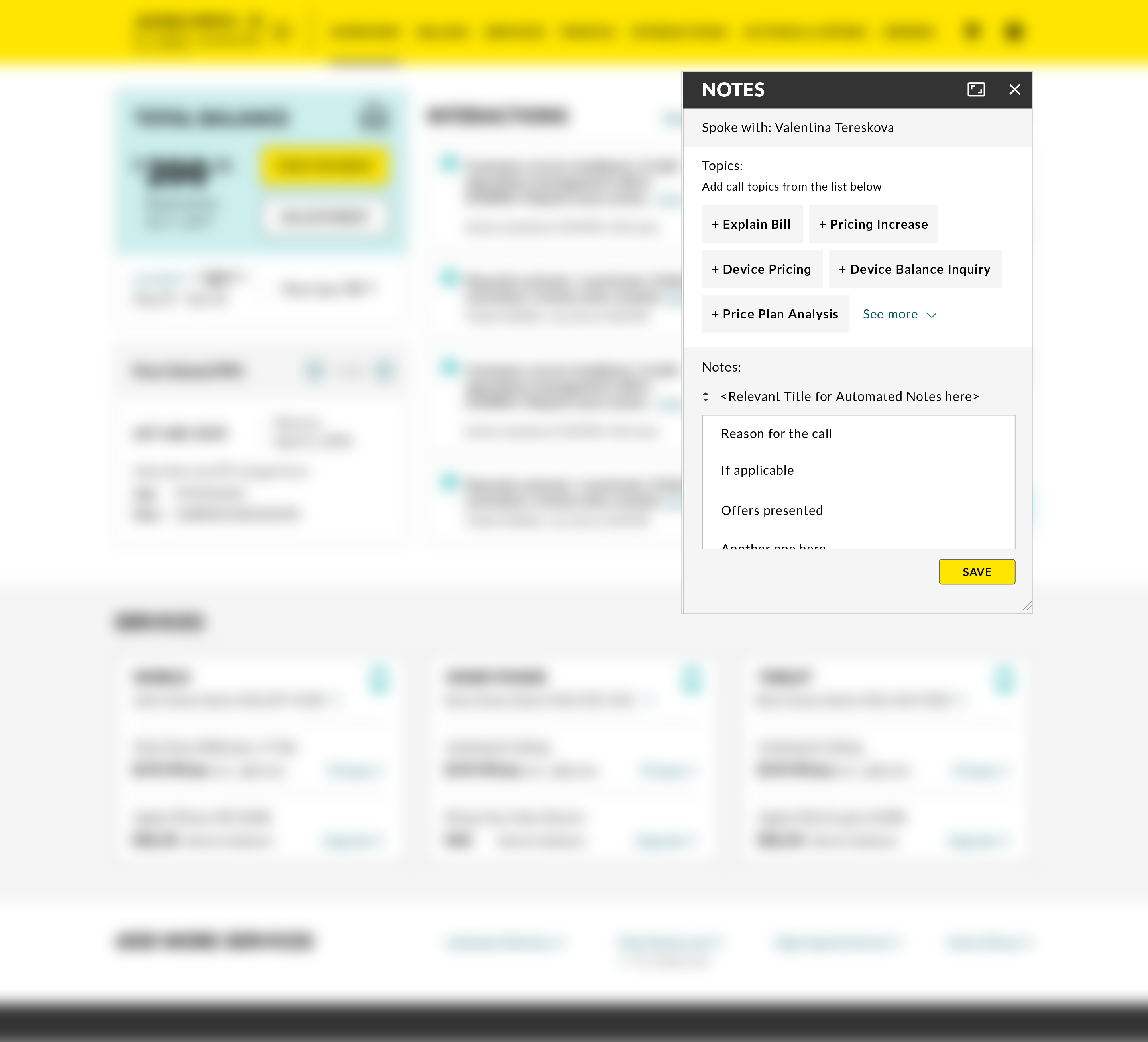
The interaction creation UI is hosted in a modal that pops up as an overlay on top of the previous screen, so users can multitask — working on a regular transaction flow and taking notes in the same browser window.
The previous painful multi-click topic selection is replaced by a single-click tag-like element, where the system does the heavy lifting by auto-populating all account attributes.
One idea is to enable a smart, assisted compose experience in the applicable fields: when keywords or hot keys are entered, Reps can choose key actions and smart content from a list the system predicts based on the context and the user's selection.
Any user operations (orders, quotes, offers presented) that can be captured through interaction automation will also populate in the modal.
I held the team to a higher bar than fixing what was broken. The modal removed the immediate friction, but what made it worth building was that it delivered the original intent of the initiative — customer footprints consolidated across every channel into one record, and Reps serving with full context instead of starting each conversation from zero.
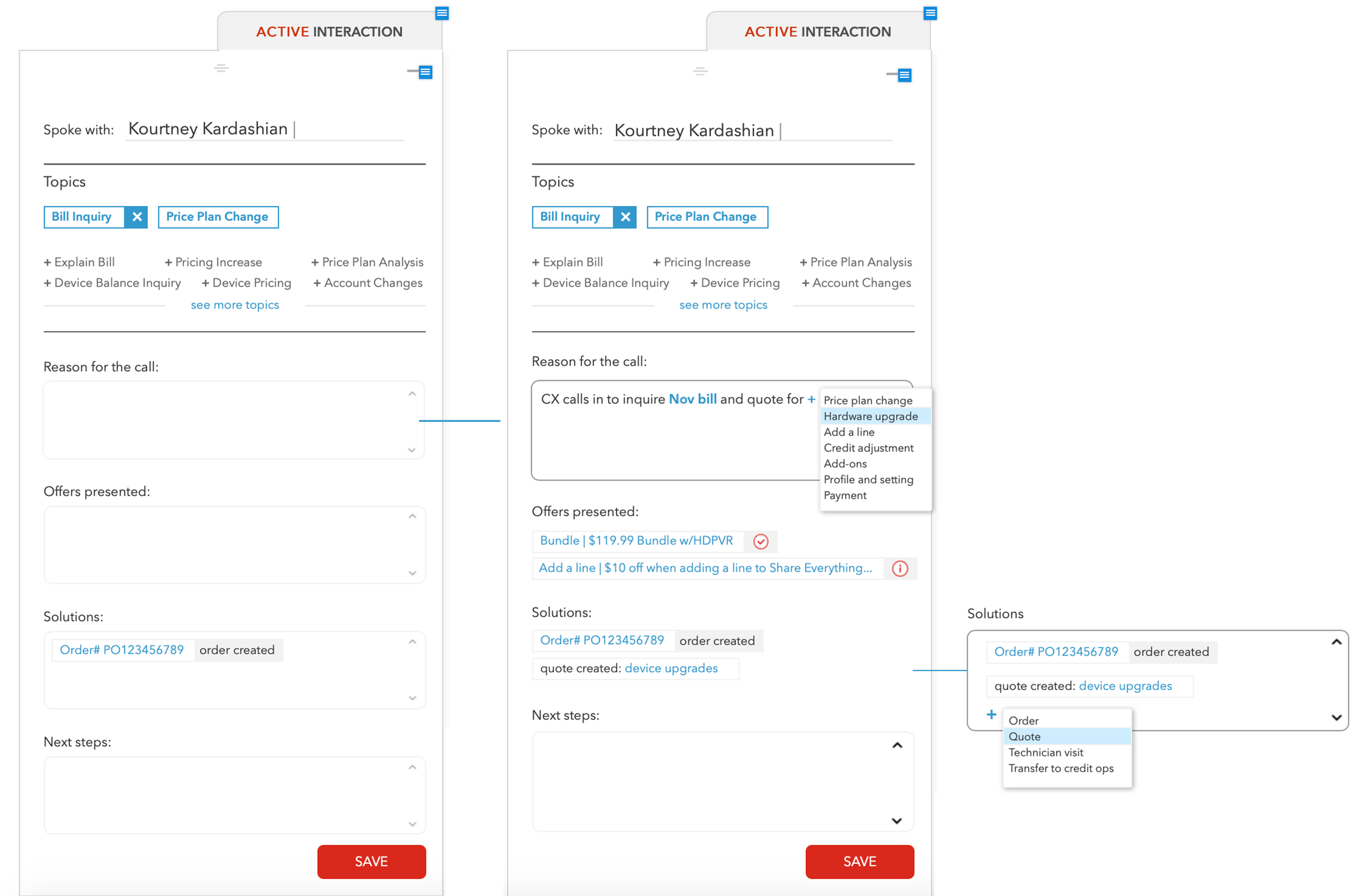
After reviewing the concept with the development team, we scoped an MVP: build the core modal structure first, implement content automation in a later phase.
View Interaction
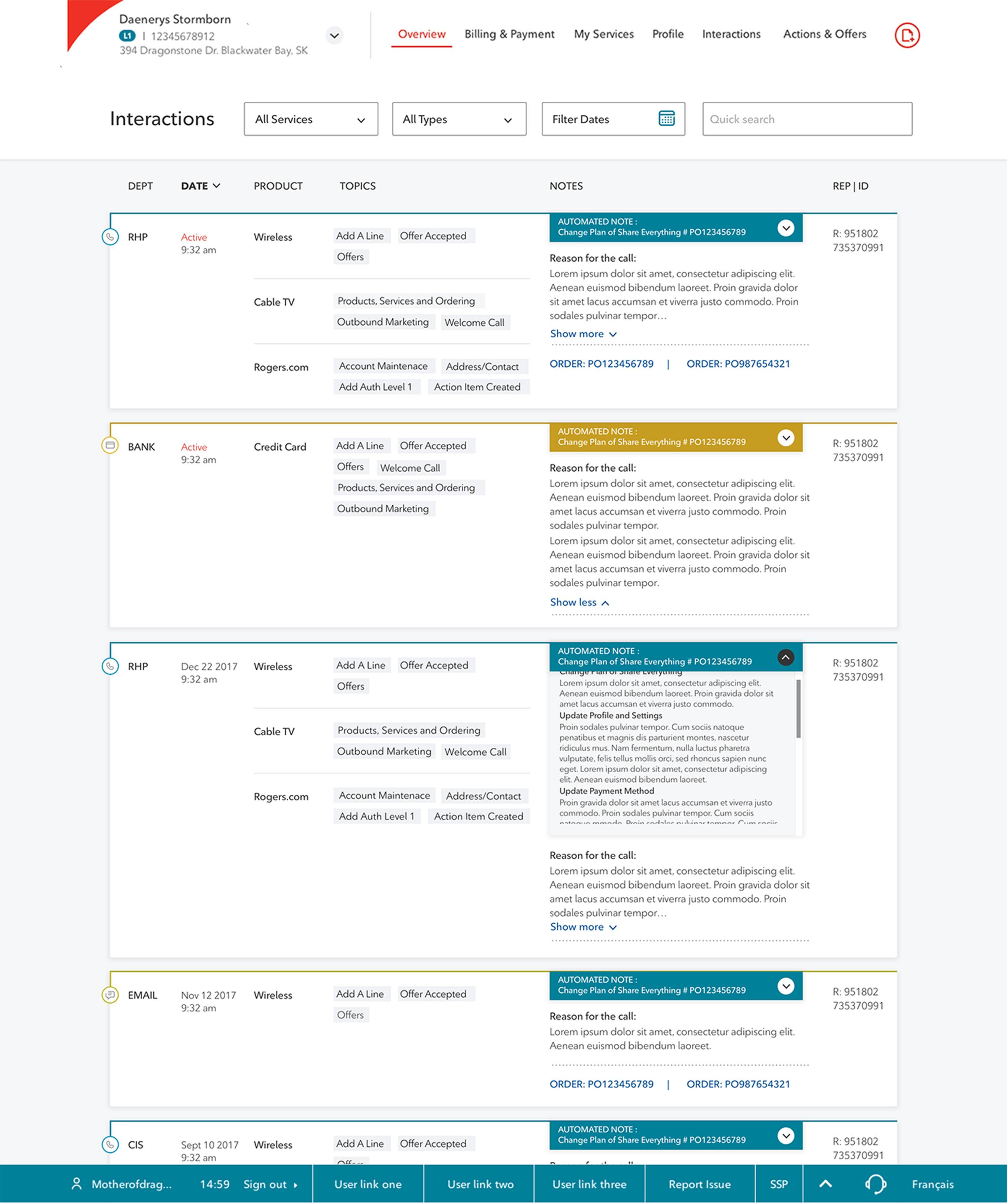
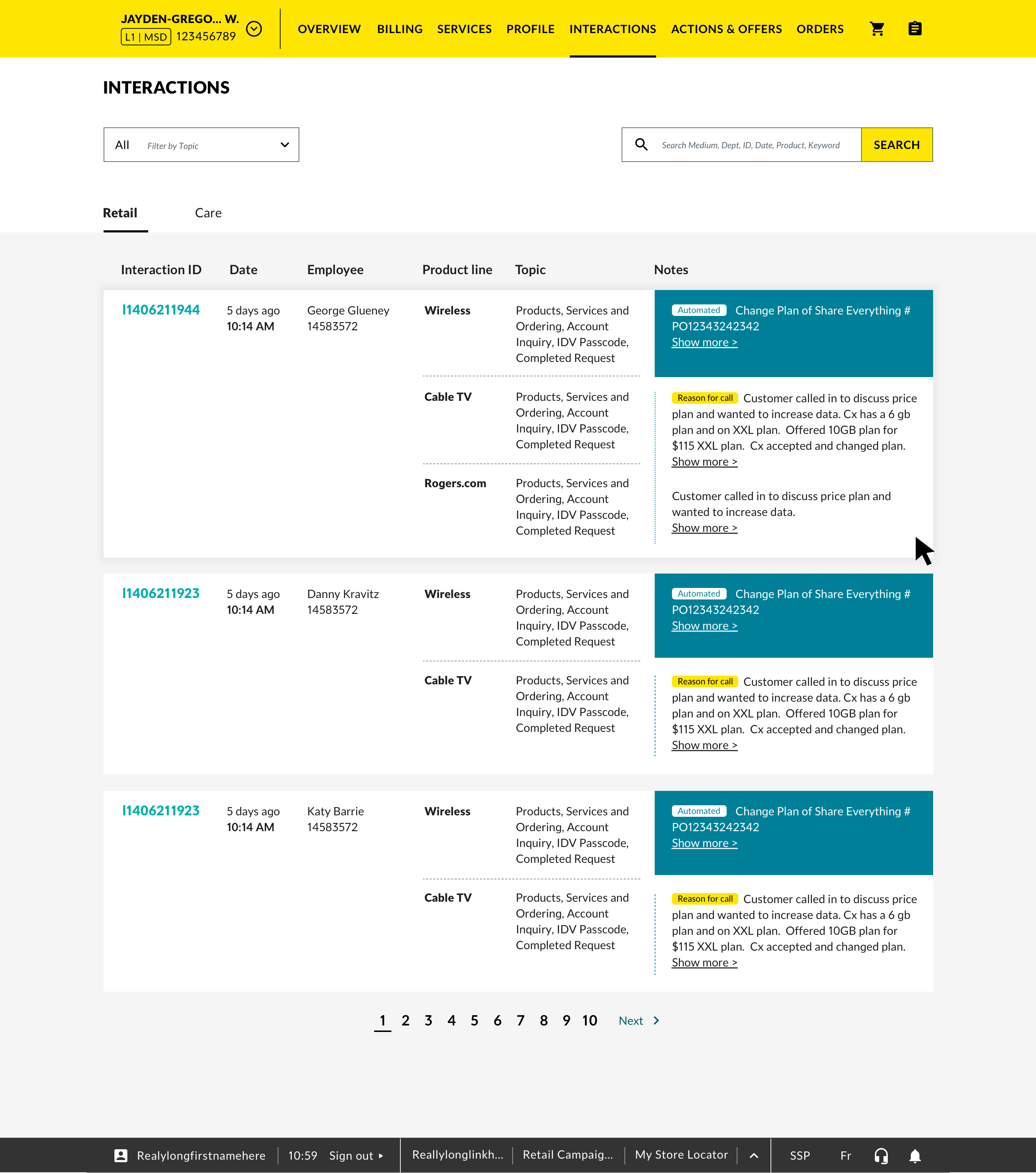
The full interaction page provides a detailed record view — channel, date, line of business, topic, automated notes, manual notes, and associated orders, cases, and tickets — with full search, filter, and sort capability.

Integration with Other Assets
A key design decision was componentizing the interaction content viewer so it could be shared across Order, Case, and Ticket full pages — building it once and keeping the experience consistent everywhere a rep needs to see interaction context.

Final Mocks
Brand A
Interaction creation modal, launched from the header:
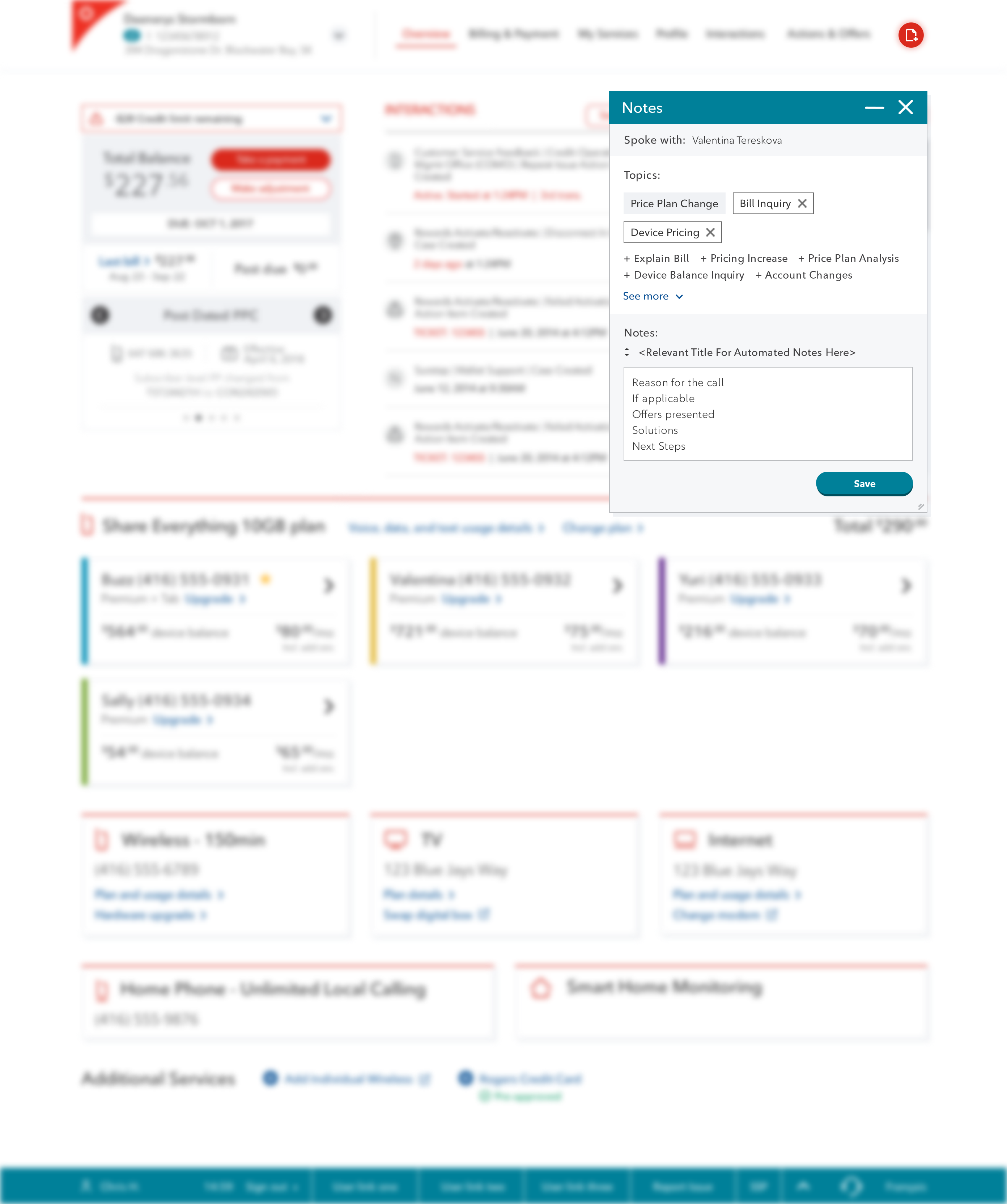
Interaction page:
Brand B
Interaction creation modal, launched from header:
Tablet view:
